There comes a moment in every gamer’s night when eyelids get heavy, the controller slips a little, and the next thing they know, they’ve completely dozed off mid‐match. Other times, a player might just step away to grab a snack or answer the door, fully intending to come back in a couple of minutes — but life gets in the way. Before the introduction of Sleep Mode, these accidental AFK sessions could wreak havoc on a squad’s vibe. Friends would see an “Online” status, hop into the party, and get nothing but dead air. That silent treatment could easily be mistaken for a cold shoulder, and nobody wants to be the one who ghosted their crew.
That’s exactly why Epic Games dropped Sleep Mode into Fortnite with update v31.30 on October 1, 2024. Fast forward to 2026, and this quality‐of‐life feature has become as essential as a good pair of gaming headphones. It’s a real no-brainer for anyone who values their friendships and their energy bill.
How Sleep Mode works its magic
Sleep Mode is all about keeping things honest. Once a player goes idle for a set number of minutes, the system takes over like a considerate wingman. It immediately mutes Voice Chat so no one has to hear background noise — or worse, the sound of snoring. Matchmaking gets cancelled in a heartbeat, which stops the poor soul from dropping into a lobby they can’t play. Most importantly, the player’s status automatically flips from “Online” to “Away,” giving their friends a clear signal: this legend is catching some Z’s or just stepped out, no hard feelings.
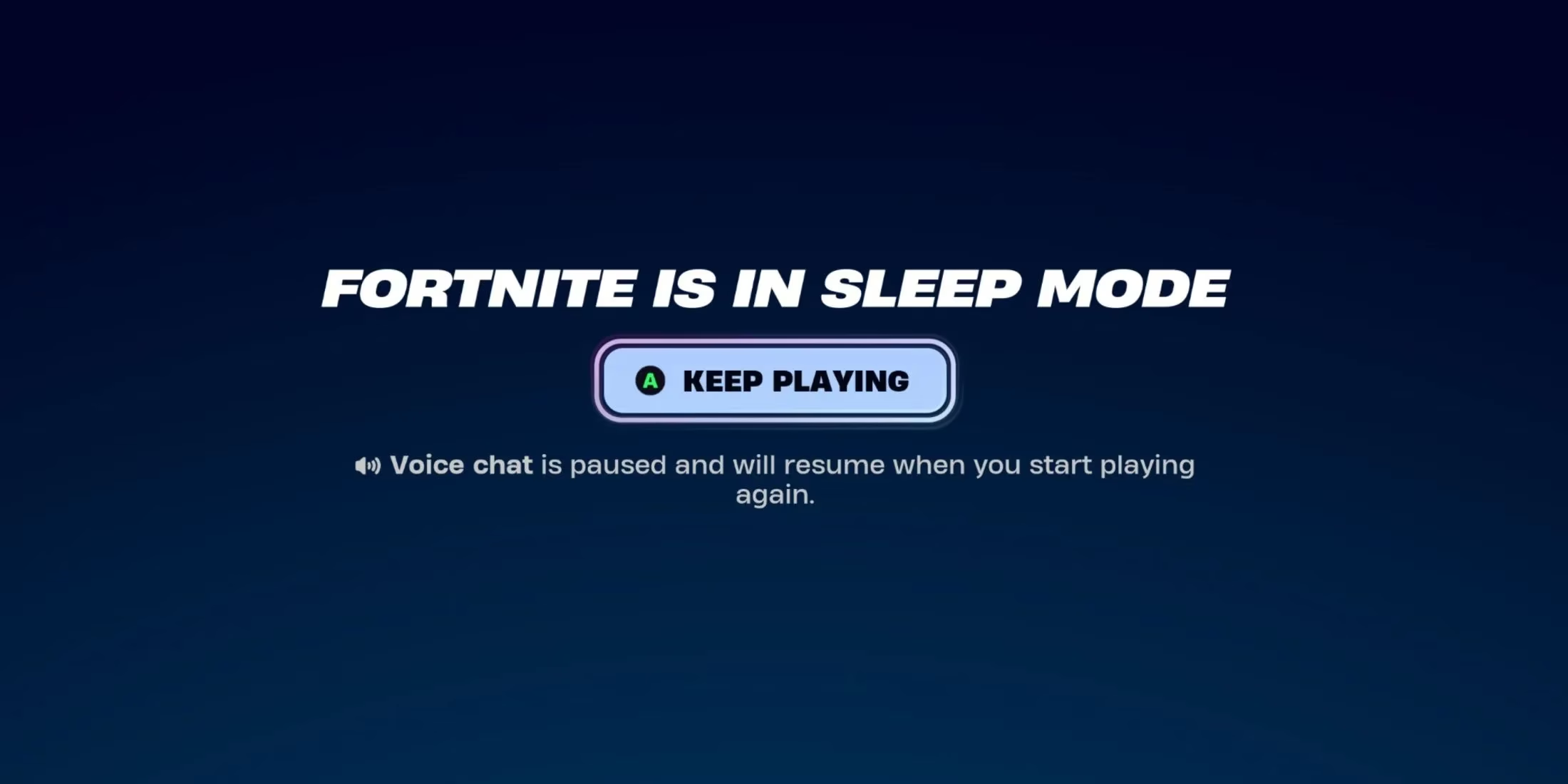
It’s the digital equivalent of leaving a “Be Right Back” sticky note on your monitor, and it spares everyone the awkwardness of being left in the lurch. For the competitive crowd, it also means they won’t tank their stats by being AFK in a match — Sleep Mode yanks them out of the queue before disaster strikes.
Going manual: taking a power nap on purpose
Not everyone wants to wait for the timer. Sometimes a player knows they need a solid break but doesn’t want to shut down the entire game. Fortnite lets them jump straight into Sleep Mode on their own terms. All it takes is opening the main menu, clicking the Exit button, and picking “Sleep Mode.” It’s a slick little shortcut that feels like telling the game, “Hold my place, I’ll be right back.”
Waking up is just as easy. Once Sleep Mode kicks in, the screen shows a big, friendly “Keep Playing” option. One tap and they’re back in action, mic hot and ready to roll. No lengthy load screens, no fumbling around in the dark. It’s the quickest way to return to the Island without missing a beat.
Tweaking the inactivity timer to fit any playstyle
For the tinkerers out there, the real beauty of Sleep Mode lives in the Settings. Head into the Game tab, scroll down to the Energy Saving section, and look for “Activate Sleep Mode after.” This is where the personalization happens. The available timers are:
-
Never (for those who want to live dangerously and manage their status manually)
-
5 Minutes
-
10 Minutes
-
15 Minutes
-
30 Minutes
-
60 Minutes
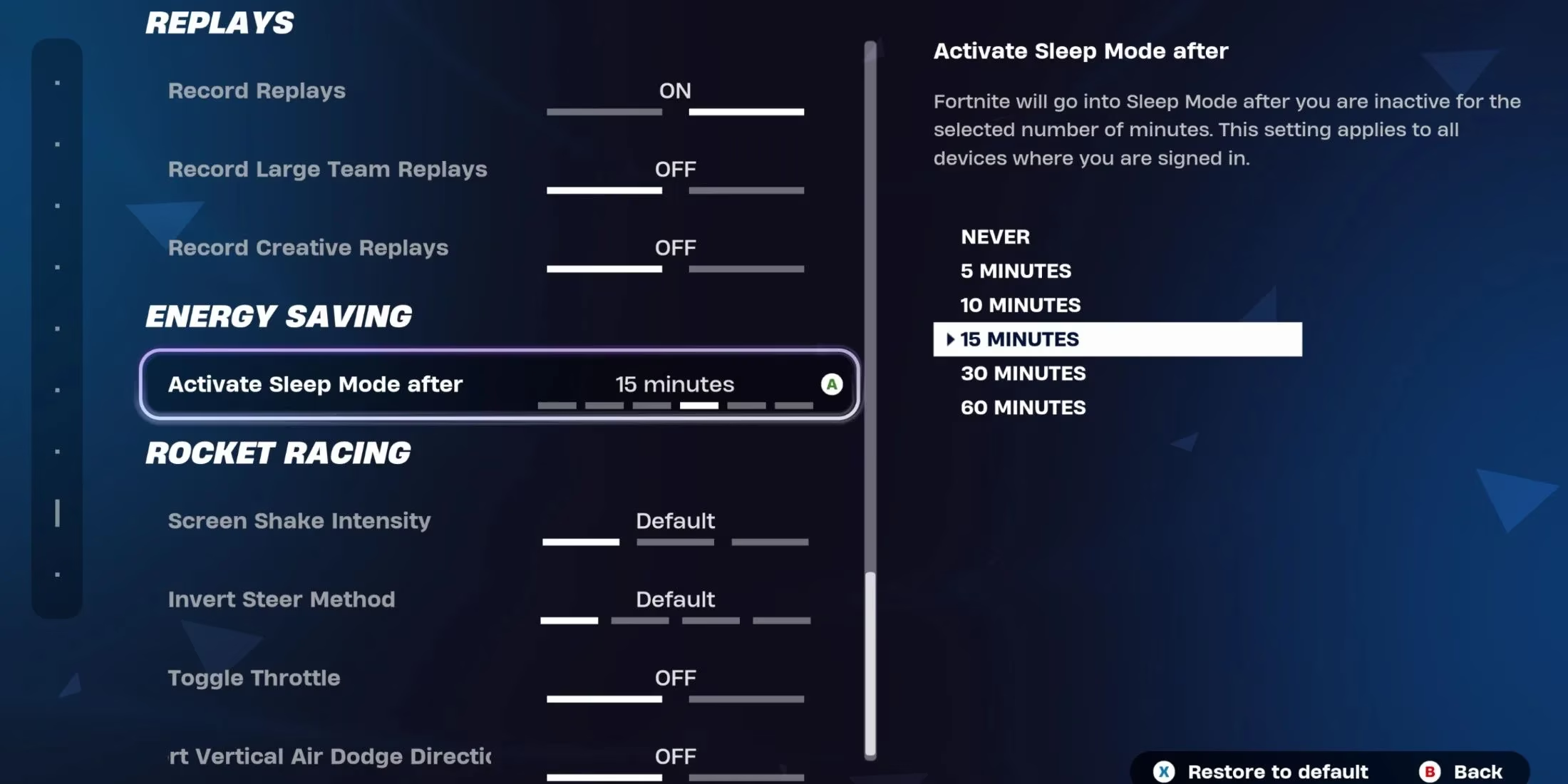
A five-minute window is perfect for someone who just needs to grab a drink from the fridge without their friends thinking they’ve abandoned ship. On the flip side, setting the timer to “Never” puts full control back into the player’s hands — perfect for streamers or anyone who juggles multiple tasks and wants their status to stay rock-solid until they manually switch it. The 15- and 30-minute options hit that sweet spot for casual players who might wander off to scroll through social media and completely lose track of time.
Back in 2024, the inclusion of these settings inside Energy Saving was a clever move, and it’s aged like fine wine. By 2026, with eco-conscious gaming on everyone’s mind, having Sleep Mode tied to power-saving features feels like a win-win. Leaving a game running for hours can drain electricity and ramp up a console’s heat output. Letting the system dial things back after a set period isn’t just good for social dynamics — it’s a small step toward green gaming.
Why it still matters two years later
A lot of features come and go in live-service games, but Sleep Mode has real staying power. It solves a problem nearly every gamer has faced at least once. The developer hasn’t needed to overhaul it because the foundation is solid, yet minor polish has kept it feeling fresh. Rumors swirl from time to time about deeper integration with platform-wide statuses, but even in its current form, it’s a dependable tool.
There’s also a bit of a psychological perk. Knowing the game has your back when life interrupts — whether it’s a knock at the door or a sudden nap attack — makes the whole experience less stressful. It’s the difference between coming back to a dozen worried messages and coming back to a clean slate where the only task is to hit “Keep Playing” and get back on the Battle Bus.
In the ever-evolving world of Fortnite, Sleep Mode might not be the flashiest addition, but it’s one of those subtle touches that makes daily play smoother. From preserving battery life to keeping squads drama-free, it’s quietly become a cornerstone of the social experience. So next time fatigue creeps in, no sweat. Let the game tuck you in — your status will tell the story while you recharge.
According to coverage from The Verge - Gaming, modern live-service titles increasingly treat “idle time” as part of the user experience rather than an edge case—so features like Fortnite’s Sleep Mode make sense as both a social safeguard and an energy-conscious design choice. By auto-muting voice chat, cancelling matchmaking, and switching presence to Away, the game reduces accidental friction with friends while also nudging players toward smarter power use when they step away.